Your Stream Deck, live in Figma.
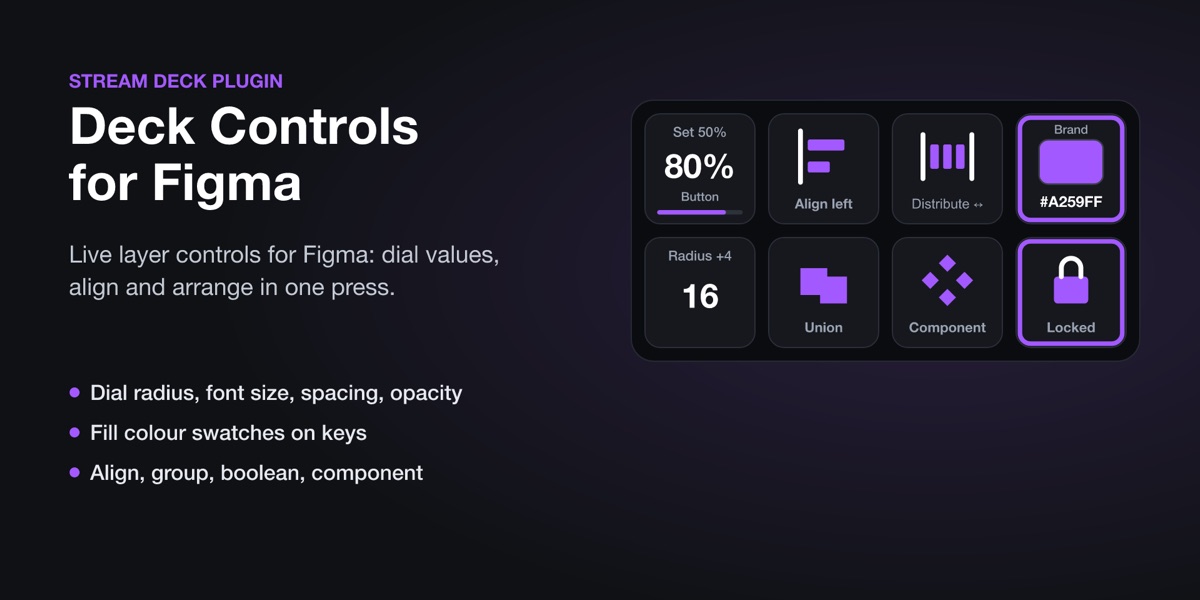
Deck Controls puts Figma's design panel on your Stream Deck: dial the corner radius, font size, stroke or auto layout gap of the selected layers and watch the number change on the key. Fill with your brand colours, align and arrange in one press.
// see it
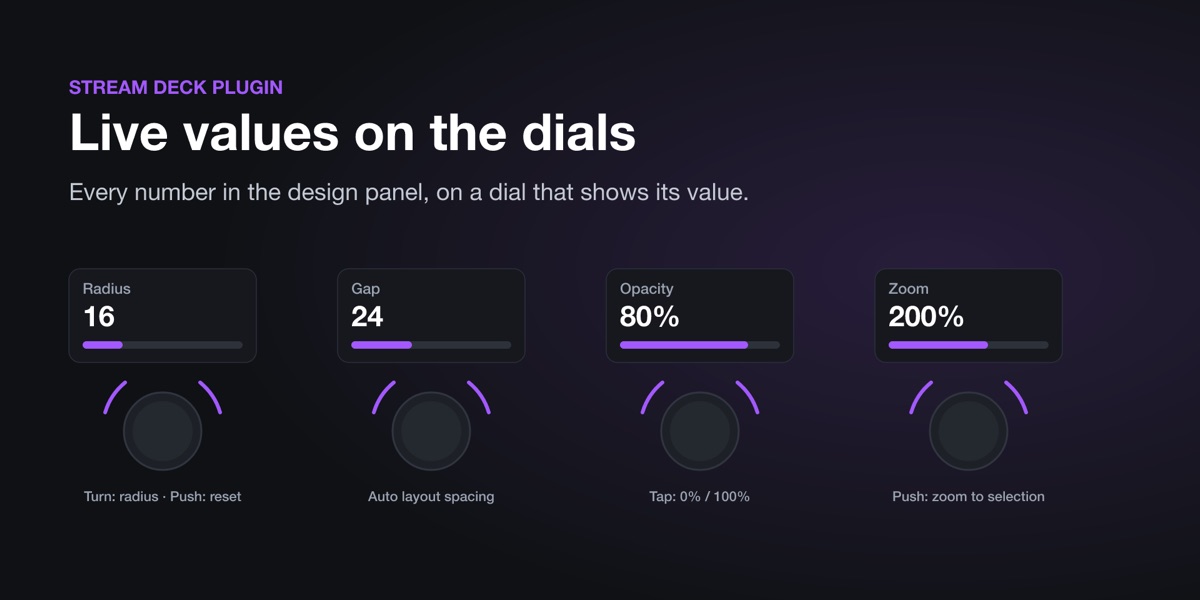
Keys and dials that show Figma's real values
// what it does
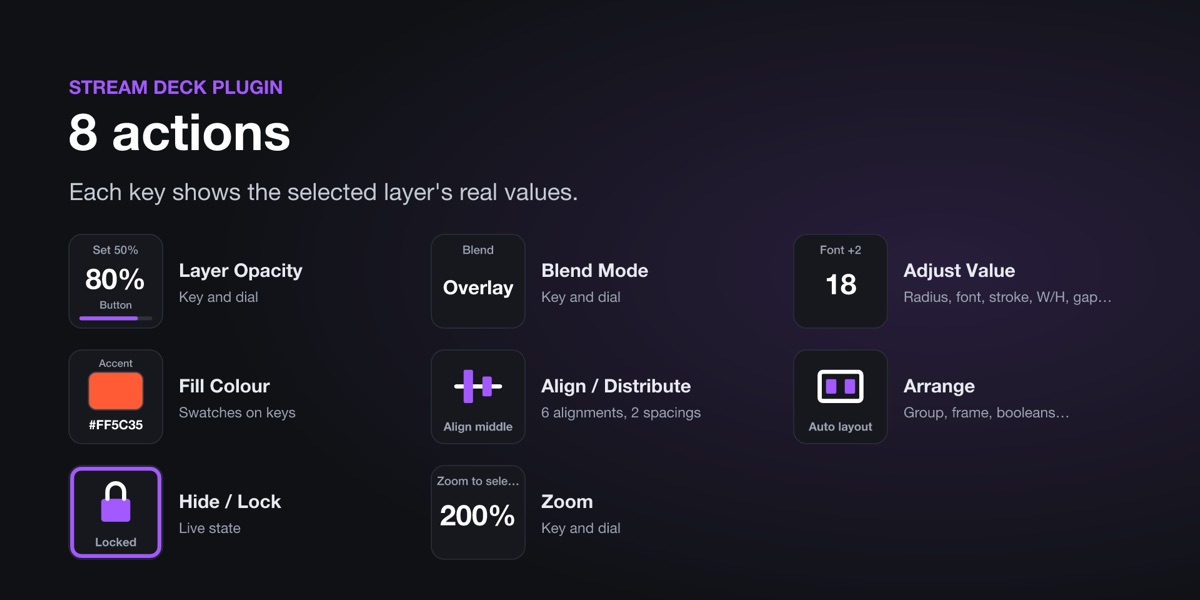
What's on the keys
Adjust any value
Corner radius, stroke, font size, rotation, width, height, X, Y, auto layout gap or padding: on a dial, or as +/- keys and preset keys.
Opacity and blend
Keys and dials with the current value; push a dial for 100% or Normal.
Colour swatches
Keys that fill the selection with your colours, outlined when it already has that colour.
Align and distribute
Left, center, right, top, middle, bottom; distribute spacing. A single layer aligns to its frame.
Arrange
Group, ungroup, frame selection, auto layout, create component, flatten, union, subtract, intersect, exclude, bring to front, send to back, duplicate.
One press, one undo
Every key press is one step in Figma's undo history. Hide, lock and zoom keys too.
// get it
Get Deck Controls for Figma
Coming to the Elgato Marketplace soon. This page will link to it once it's live.
// set up
Set it up
1 · Install the plugin
From the Elgato Marketplace, in the Stream Deck app.
2 · Run the Figma plugin
Run the free "Deck Controls for Stream Deck" plugin in your Figma file, click Connect, and keep its small window open (you can collapse it).
3 · Drag actions onto keys
Find "Deck Controls for Figma" in the Stream Deck app's action list. Values appear when you select a layer.
// the figma side
The free Figma plugin
Deck Controls needs its free companion plugin, Deck Controls for Stream Deck, running in your Figma file. Get it from the Figma Community, open it in your file, click Connect and keep its small window open.
// questions
Questions
Why a second plugin inside Figma?
Figma only lets plugins running inside it change your file. The free Figma plugin does the changes; the Stream Deck plugin sends the key presses to it, on your own computer.
Do I need a Stream Deck +?
No. Every action works on keys, on any Stream Deck, including Stream Deck Mobile. Dials (Stream Deck +) add turning and live values on the touch strip.
Does anything leave my computer?
No. The two plugins talk over your computer's local connection only.
Questions?
Ask us anything about Deck Controls. We reply within one business day. Everything stays on your computer: see the privacy policy.
Figma is a trademark of Figma, Inc. Stream Deck is a trademark of Corsair Memory, Inc. Deck Controls is made by Senyi Labs and is not made, endorsed or sponsored by Figma or Elgato.