Your Stream Deck, live in Houdini.
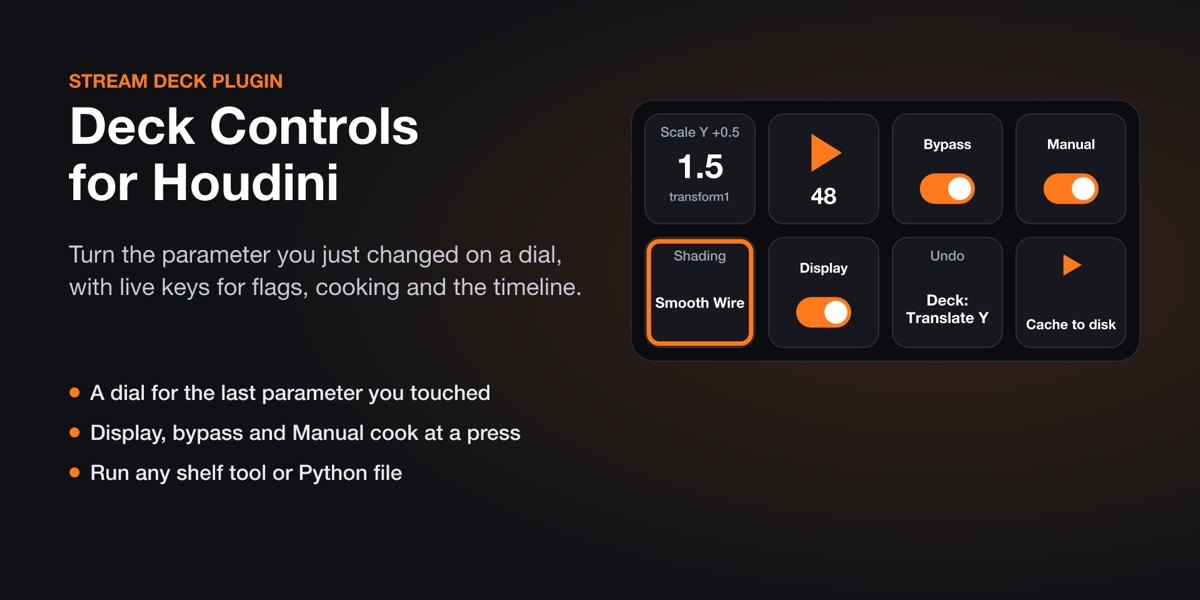
Deck Controls puts Houdini on your Stream Deck with keys that know what Houdini is doing. Change a parameter once and fine-tune it on a dial. Flip a node's display or bypass flag, switch to Manual cooking, scrub frames and run shelf tools, with the real state on every key.
// see it
Keys and dials that show Houdini's real values
// what it does
What's on the keys
The parameter you just changed
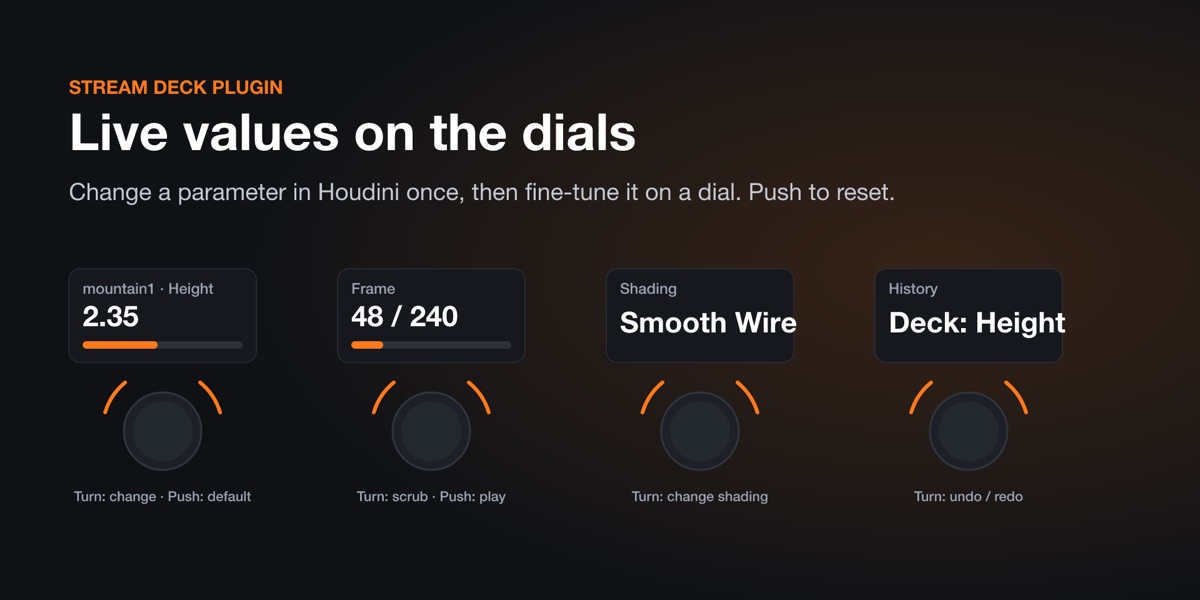
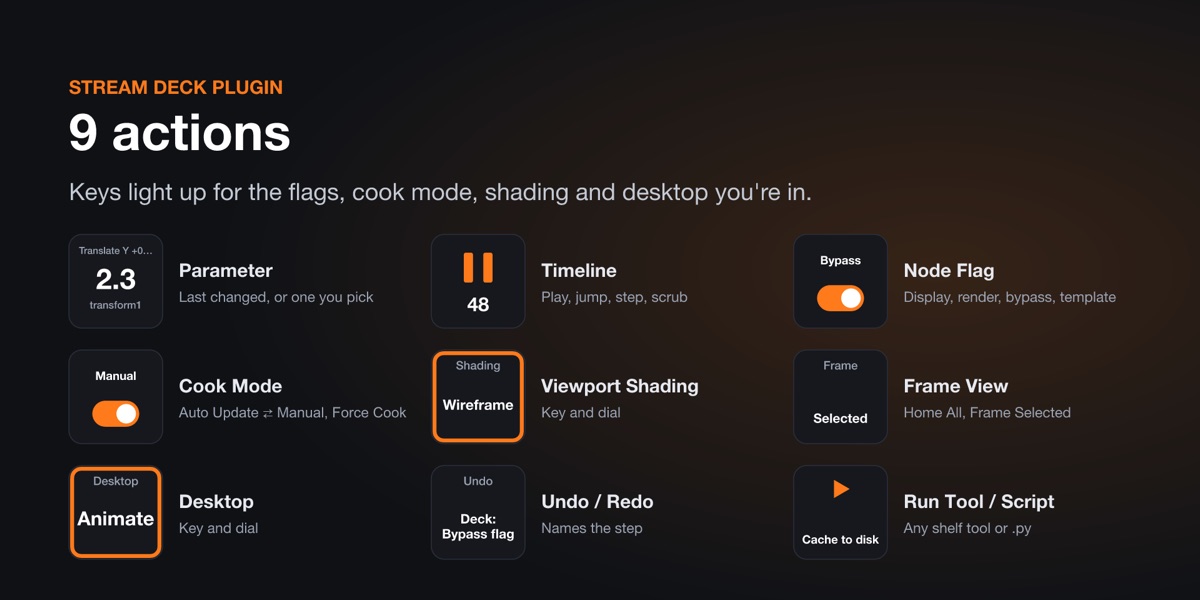
Touch any number parameter on a node and a dial takes it over: turn to change it, push to reset it to its default. Or give a key a fixed parameter, like sy on the selected node, to step or set it.
Node flags
Display, Render, Bypass and Template on the selected node, each lit while it's set.
Cook mode
Switch Auto Update ⇄ Manual with the state on the key, and a Force Cook key for heavy scenes.
Timeline
Play / stop with the current frame on the key, jump to start or end, step frames. On a dial: scrub, push to play, tap for the start.
Shading, view, desktops
Wireframe, Hidden Line, Smooth, Smooth Wire, MatCap; Home All and Frame Selected; one key per desktop, lit while it's current.
Undo and shelf tools
Each key press is one named undo step ("Deck: Translate Y"), and the Undo key shows it. Run any shelf tool or Python file from a key.
// get it
Get Deck Controls for Houdini
Coming to the Elgato Marketplace soon. This page will link to it once it's live.
// set up
Set it up
1 · Install the plugin
From the Elgato Marketplace, in the Stream Deck app.
2 · Install the Houdini package
It comes with the plugin: open any key's settings, click "Install the Houdini package", and restart Houdini.
3 · Drag actions onto keys
Find "Deck Controls for Houdini" in the Stream Deck app's action list. Keys light up as soon as Houdini is running.
// questions
Questions
Which Houdini do I need?
Houdini 20.5 or later, including the free Apprentice and Indie editions. Tested with Houdini 22.
Do I need a Stream Deck +?
No. Every action works on keys, on any Stream Deck, including Stream Deck Mobile. Dials (Stream Deck +) add the parameter dial, scrubbing and live values on the touch strip.
Does anything leave my computer?
No. The Houdini package only listens for the plugin on your own computer (127.0.0.1) and ignores everything else.
Questions?
Ask us anything about Deck Controls. We reply within one business day. Everything stays on your computer: see the privacy policy.
Houdini is a registered trademark of Side Effects Software Inc. Stream Deck is a trademark of Corsair Memory, Inc. Deck Controls is made by Senyi Labs and is not made, endorsed or sponsored by SideFX or Elgato.